Get help through the right service channel
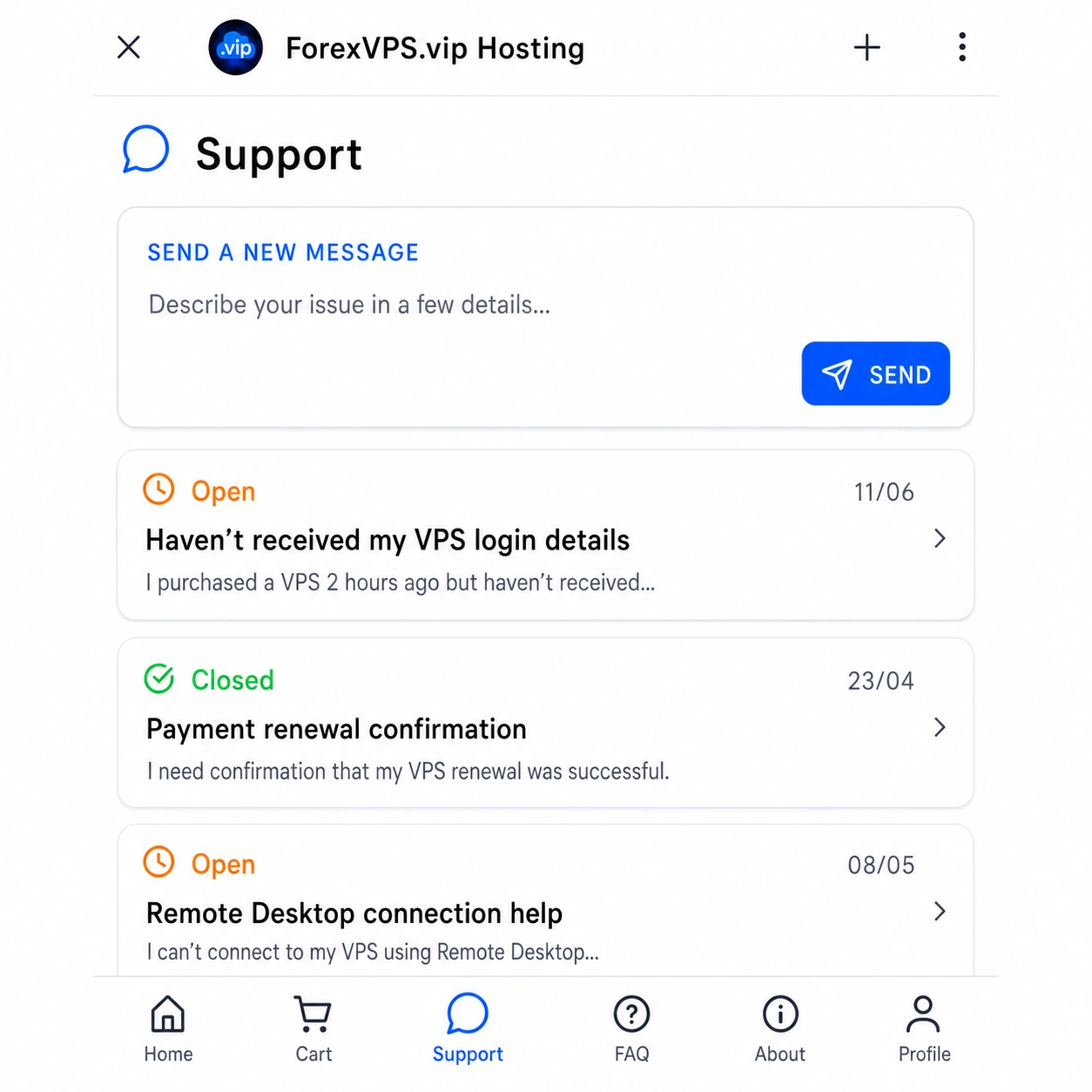
Contact us through the Mini App
For active VPS services, please use the Support tab inside the Telegram Mini App.
It is the right place for VPS access, billing, subscription and service questions. For general questions or if you cannot access Telegram, use email below.
General email
For pre-sales questions, business inquiries or situations where you cannot access Telegram, you can contact us by email.
service@forexvps.vipMini App Support
Use the Support section inside the Telegram Mini App for VPS access, service status, setup questions and order related help.
Billing & subscriptions
View active services, renewal dates, payment status and subscription management options from your profile inside the Mini App.
General questions
For pre-sales questions, business inquiries or situations where you cannot access Telegram, contact us by email.
Questions before contacting support
Before opening a support request, check the common answers below. They cover VPS access, billing, subscriptions, setup time, credentials and common service questions.
How do I create a support ticket?
Open the Telegram Mini App, go to the Support section and send us your message. Our team will review your request and reply as soon as possible.
Is the VPS itself inside Telegram?
No. Telegram is used for ordering, billing, subscriptions and support. The VPS itself is a real Windows server accessed through Remote Desktop.
How do I receive my VPS login details?
Your VPS credentials are sent to your email for additional security. You then use these details to connect with Remote Desktop.
Can I manage billing in Telegram?
Yes. You can view orders, active subscriptions, renewal dates and billing management options from the Telegram Mini App.
Can I choose the VPS location?
Yes. Available locations are shown inside the product screen. For example, Basic VPS may include London and New York.
Can I run MT4 and MT5?
Yes. The VPS is a standard Windows environment where you can install MT4, MT5, cTrader, Expert Advisors, indicators and other trading tools.
Why are server credentials sent by email?
This creates an extra separation between Telegram account access and actual VPS access. It helps protect the server credentials if Telegram access is ever compromised.
What payment methods do you accept?
We accept credit cards and PayPal for VPS orders and subscription renewals.
How can I cancel my subscription?
You can cancel your subscription anytime inside the Telegram Mini App. Open your account, go to your active subscriptions and choose the cancellation option for the VPS plan you no longer want to renew.
Are there any penalties for canceling your service?
No. We do not charge cancellation fees. You can cancel your subscription without any penalty.
How do I renew my VPS plan?
VPS plans are renewed automatically through recurring billing. Please make sure that your card or PayPal account has enough funds before the renewal date. If the renewal payment fails, the VPS may be suspended and later deleted if the payment is not completed.
Can I change my server location?
Server location is selected when the VPS is ordered. We do not currently offer location changes as a standard option, because moving a VPS to another location requires manual work and may affect the server setup. If you need another location, the best option is usually to order a new VPS in the required location.
How long does it take to set up my VPS?
In most cases, your VPS is prepared within 1 hour after payment. During busy periods, high demand or a large number of orders, setup can take up to 24 hours. If there is any delay, we will notify you.
What should I do if I do not receive my VPS details after 24 hours?
Please check your spam or junk folder first. If you find the email with your VPS credentials there, mark it as not junk and add service@forexvps.vip to your trusted senders. This will help you receive future notifications. If you still cannot find your VPS details, please contact us.
Do I need to install the operating system on my VPS?
No. Your VPS comes with an optimized Windows Server environment already installed. It is prepared for Remote Desktop access and ready for trading software setup.
Can I install specific software on my VPS?
Yes. You can install Windows applications and trading tools, as long as you have the legal right to use them and they do not violate local or international laws.
What brokers do your servers work with?
We are an independent VPS provider, and our servers can be used with any broker. If you have questions about broker connectivity, server location or latency, please contact us by email at service@forexvps.vip.