Forex VPS, ordered and managed from Telegram
Run trading platforms, applications and robots on lightning Windows VPS. Choose a plan, pay, manage subscriptions and contact support in Telegram. Server access details are delivered securely by email.
Choose the right VPS for your trading setup
Lite Forex VPS
For simple trading platform setups.
- 1 vCPU (AMD EPYC)
- 2 GB RAM
- 25 GB NVM
- 1-3 terminals
- up to 500 Mbps
- Licensed Windows Server 2019
- Location:
Basic+ Forex VPS
For more active trading setups.
- 2 vCPU (AMD EPYC)
- 4 GB RAM
- 50 GB NVM
- 2-4 terminals
- up to 500 Mbps
- Licensed Windows Server 2019/2025
- Location:
Advanced Forex VPS
For algorithms requiring more complex tasks
- 4 vCPU (AMD EPYC)
- 8 GB RAM
- 80 GB NVM
- 2-6 terminals
- up to 1 Gbps
- Licensed Windows Server 2019/2025
- Location:
Built for traders who want continuity and simple management
A VPS keeps trading platforms online while Telegram makes ordering, billing and support easier than a traditional client portal.
24/7 trading uptime
Your EA can continue running even when your home computer is off or your internet connection drops.
Closer locations
Select a VPS location closer to your broker to improve routing and reduce trading latency.
Faster management
No bulky dashboard. Orders, subscriptions, profile and support are available from Telegram.
Standard RDP access
Connect to your Windows VPS from desktop, laptop, tablet or phone using standard Remote Desktop.
Email credentials
VPS access details are delivered to your email for extra separation from Telegram access.
Human support
Get help directly in Telegram instead of searching for ticket portals and support emails.
Classic VPS for trading
Your actual VPS is a real Windows server. Access details are sent to your email, and you connect with standard Remote Desktop to run MT4, MT5, Expert Advisors and trading tools.
Telegram for billing and support
Telegram is used as your fast Mini App. Choose a plan, select location, add services to cart, complete checkout, view orders, manage subscriptions and contact support.
Track billing without leaving Telegram
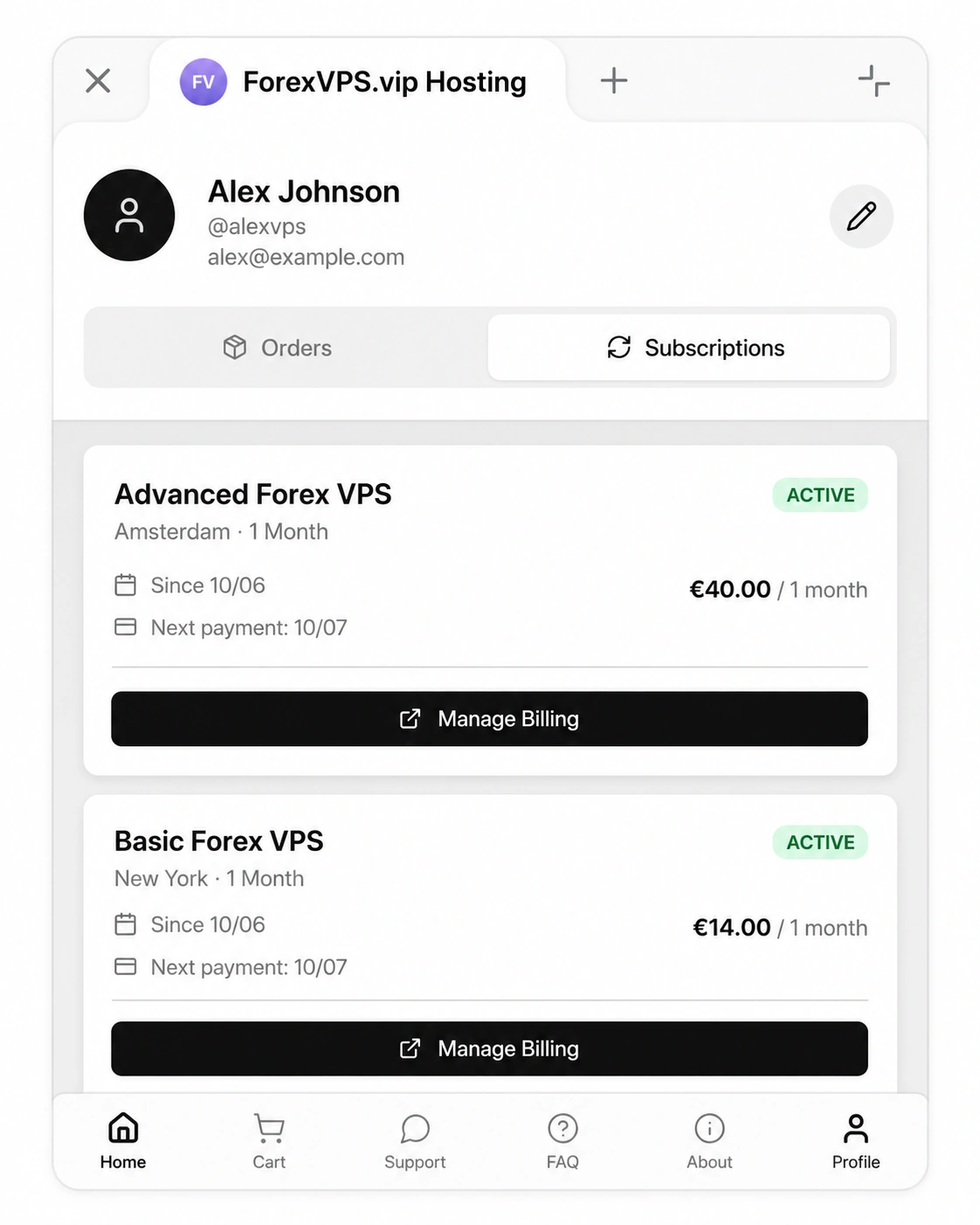
Users can view active services, renewal dates, payment status and billing management options from their profile inside the Mini App.
Convenient in Telegram, secure for server access
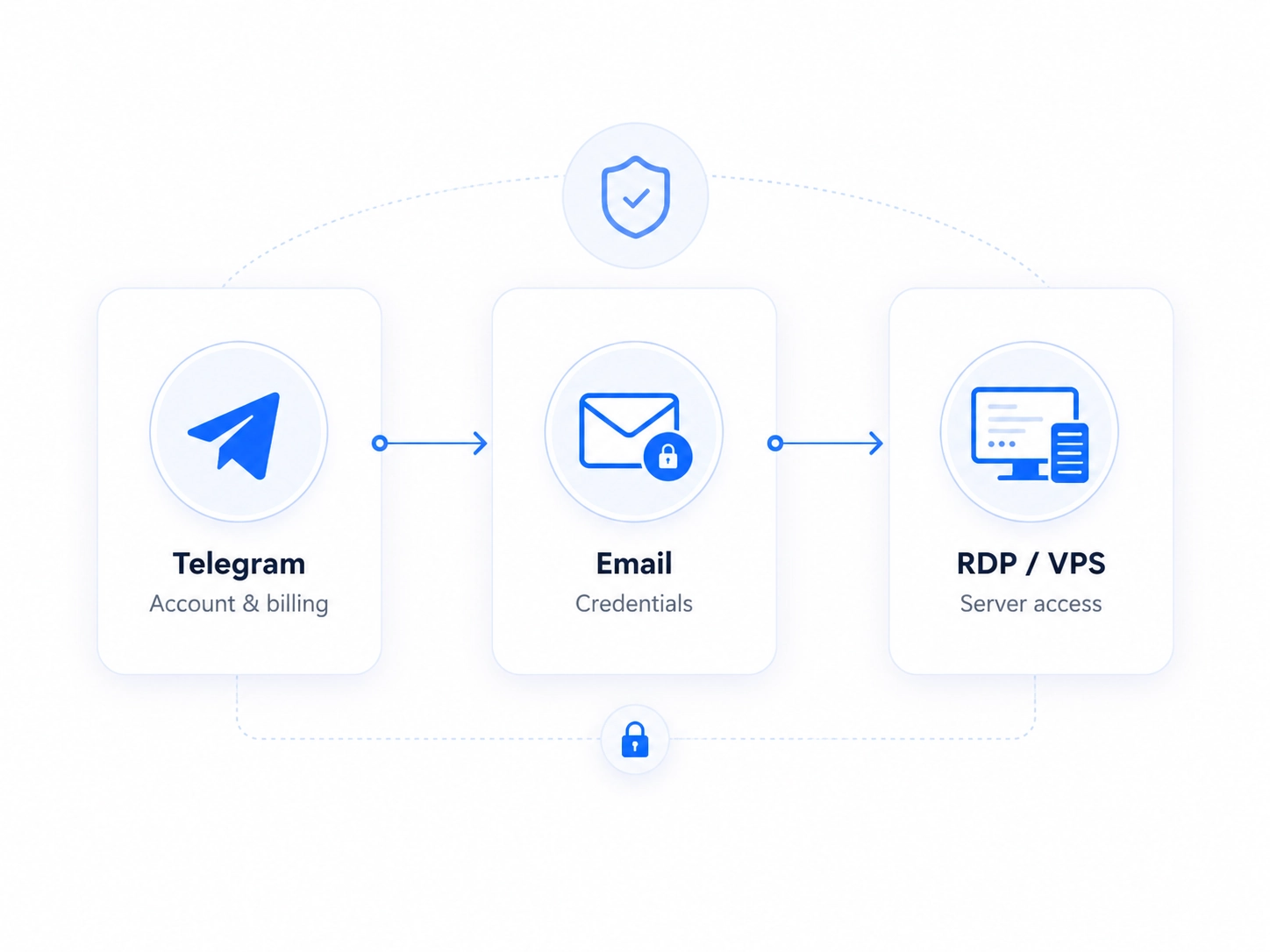
Telegram is used for authentication, shopping flow, subscriptions and support. VPS login credentials are delivered to email, so server access is kept independent from Telegram access.
- Telegram for account, cart, checkout and support
- Email for IP address, username and password
- Remote Desktop for actual VPS connection
- Billing and server access are separated for safety
The infrastructure behind your trading
Our Forex VPS servers are built for traders who need speed, stability and a clean Windows environment for MT4, MT5, Expert Advisors, indicators and copy trading tools.
This is not just a basic remote desktop. Each VPS is prepared for continuous trading workloads with licensed Windows, AMD EPYC processors or equivalent server-grade CPUs, fast NVMe storage and stable data center connectivity.
AMD EPYC processors or equivalent
Server-grade CPUs prepared for continuous trading workloads and smooth MetaTrader operation.
Fast NVMe storage
Fast storage helps Windows, trading terminals, charts and tools feel responsive during daily use.
Licensed Windows Server
A clean Windows VPS environment with Remote Desktop access, ready for MT4, MT5 and trading tools.
Multiple server locations
Choose a VPS location closer to your broker when available and improve the route between your platform and trading server.

Server hardware behind your VPS
Enterprise-grade resources, fast storage and broker-friendly locations for serious trading setups.
Actual latency depends on broker, trading server, VPS location and network route.
What is a Forex VPS?
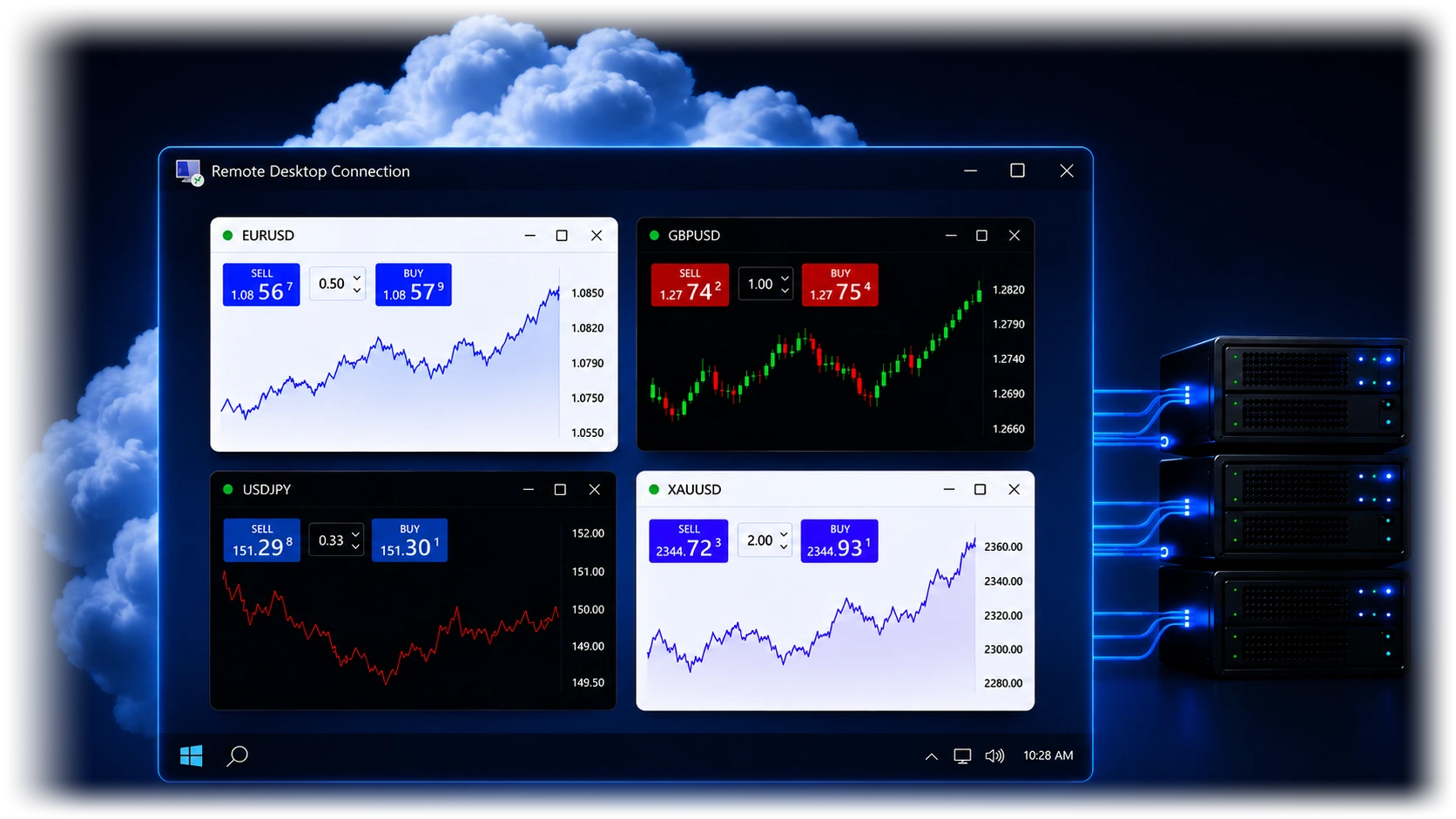
A Forex VPS is a remote Windows server that stays online all the time. You connect to it with Remote Desktop, install your trading platforms, robots, copy tools and other Windows applications, and keep them running even when your own computer is switched off.
Your trading computer in the cloud
Instead of running trading software on your home laptop, you run it on a remote Windows VPS hosted in a professional data center.
Keeps your platforms online 24/7
Trading platforms, Expert Advisors, indicators and copy tools can continue working day and night without relying on your local computer.
Built for trading applications
Use a VPS for MetaTrader, broker platforms, automation tools, signal copying software, scripts, dashboards and other Windows trading apps.
Why use Telegram with a Forex VPS?
Telegram makes the mini app simple. You can choose a plan, place an order, manage billing, check subscriptions and contact support without opening a complicated hosting dashboard.
Who is it for?
Forex VPS is useful for traders who need trading software to stay online continuously, including platforms, Expert Advisors, copy trading tools, indicators, scripts, dashboards and multiple broker accounts.
Questions traders may ask before ordering
Is the VPS itself inside Telegram?
No. Telegram is used for ordering, billing, subscriptions and support. The VPS itself is a real Windows server accessed through Remote Desktop.
How do I receive my VPS login details?
Your VPS credentials are sent to your email for additional security. You then use these details to connect with Remote Desktop.
Can I manage billing in Telegram?
Yes. You can view orders, active subscriptions, renewal dates and billing management options from the Telegram Mini App.
Can I choose the VPS location?
Yes. Available locations are shown inside the product screen. For example, Basic VPS may include London and New York.
Can I run MT4 and MT5?
Yes. The VPS is a standard Windows environment where you can install MT4, MT5, cTrader, Expert Advisors, indicators and other trading tools.
Why are server credentials sent by email?
This creates an extra separation between Telegram account access and actual VPS access. It helps protect the server credentials if Telegram access is ever compromised.
What payment methods do you accept?
We accept credit cards and PayPal for VPS orders and subscription renewals.
How can I cancel my subscription?
You can cancel your subscription anytime inside the Telegram Mini App. Open your account, go to your active subscriptions and choose the cancellation option for the VPS plan you no longer want to renew.
Are there any penalties for canceling your service?
No. We do not charge cancellation fees. You can cancel your subscription without any penalty.
How do I renew my VPS plan?
VPS plans are renewed automatically through recurring billing. Please make sure that your card or PayPal account has enough funds before the renewal date. If the renewal payment fails, the VPS may be suspended and later deleted if the payment is not completed.
Can I change my server location?
Server location is selected when the VPS is ordered. We do not currently offer location changes as a standard option, because moving a VPS to another location requires manual work and may affect the server setup. If you need another location, the best option is usually to order a new VPS in the required location.
How long does it take to set up my VPS?
In most cases, your VPS is prepared within 1 hour after payment. During busy periods, high demand or a large number of orders, setup can take up to 24 hours. If there is any delay, we will notify you.
What should I do if I do not receive my VPS details after 24 hours?
Please check your spam or junk folder first. If you find the email with your VPS credentials there, mark it as not junk and add service@forexvps.vip to your trusted senders. This will help you receive future notifications. If you still cannot find your VPS details, please contact us.
How do I create a support ticket?
Open the Telegram Mini App, go to the Support section and send us your message. Our team will review your request and reply as soon as possible.
Do I need to install the operating system on my VPS?
No. Your VPS comes with an optimized Windows Server environment already installed. It is prepared for Remote Desktop access and ready for trading software setup.
Can I install specific software on my VPS?
Yes. You can install Windows applications and trading tools, as long as you have the legal right to use them and they do not violate local or international laws.
What brokers do your servers work with?
We are an independent VPS provider, and our servers can be used with any broker. If you have questions about broker connectivity, server location or latency, please contact us by email at service@forexvps.vip.
Ready to order your Forex VPS?
Open the Telegram Mini App, choose your plan, complete checkout and manage your VPS subscription from one simple interface.
Open in Telegram